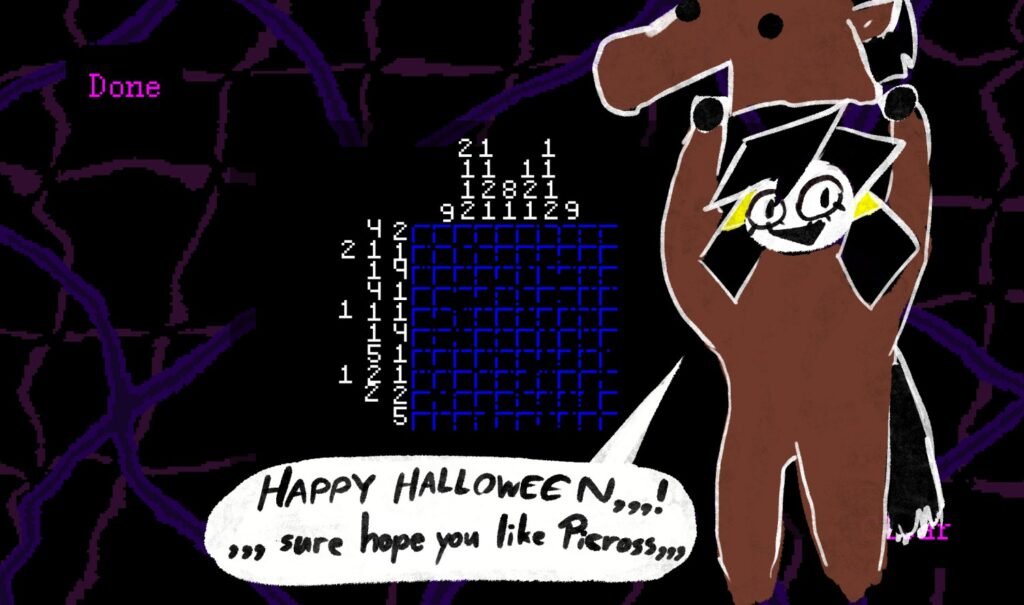
The Halloween Update (v1.6.2) has arrived in Mesmalie, bringing five new Nonogram puzzles, a new song, and a new achievement to unlock. If you enjoy Picross-style puzzles, you’ll probably have a good time with this update.
The new puzzles are available in the Extras menu, but you’ll need to beat Act 4 first to unlock them. If you’re having trouble solving any of the puzzles, don’t worry. I’ve added all five Nonogram solutions below in the correct order so you can complete them without getting stuck.
All Nonogram Solutions in Mesmalie
You can find these five Nonogram puzzles in the Extras menu, and you need to solve all of them to unlock the new achievement.
Here’s the solution for every Nonogram puzzle:
1. Nonogram Puzzle Solution
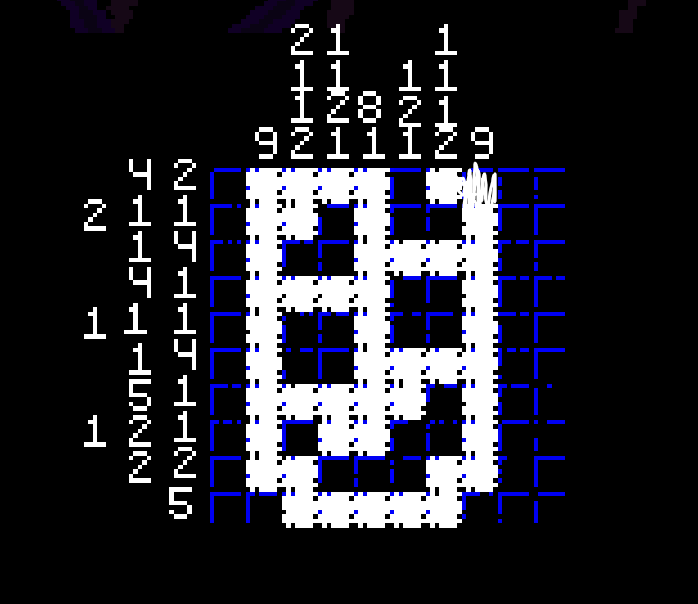
2. Nonogram Puzzle Solution
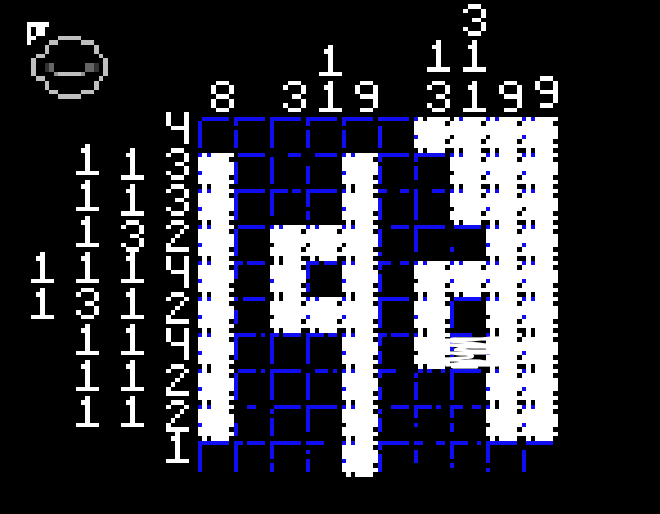
3. Nonogram Puzzle Solution
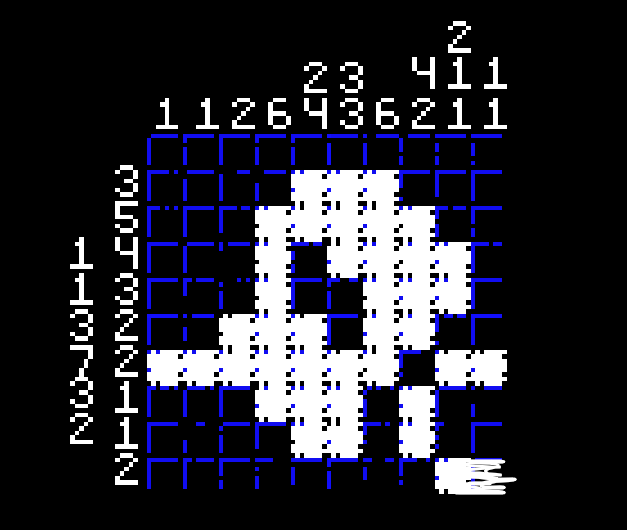
4. Nonogram Puzzle Solution
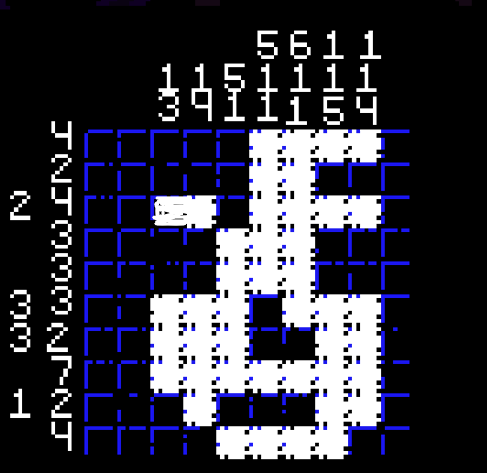
5. Nonogram Puzzle Solution
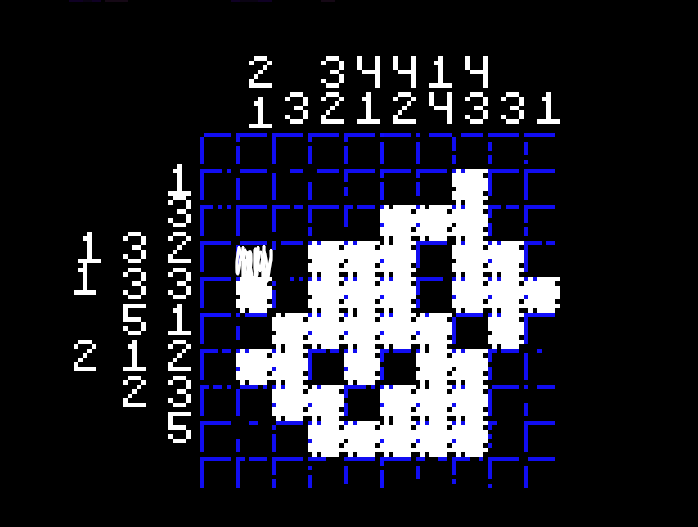
That’s all five Nonogram solutions from the Mesmalie Halloween Update! Complete all the puzzles to unlock the new achievement, and you’re done. Happy Halloween!
What’s New in the Halloween Update?
Along with the five new Nonogram puzzles, the Halloween update introduces a few other additions and fixes.
Here’s everything included in version 1.6.2:
- 5 New Nonogram Puzzles: You can find all five puzzles in the Extras menu after beating Act 4.
- New Song: A new song has been added to the game.
- New Achievement: Complete all five Nonogram puzzles to unlock a new achievement.
- Remember Your Squash: You can now remember your Squash from the Extras menu.
- Credits Star: You can now obtain a star for the Credits button in the Extras menu.
- Extras Menu Unlock: The Extras menu can now be unlocked after beating Act 4, even if you haven’t completed Session 3.
- Achievement Fixes: Fixed achievements not unlocking properly on macOS. You can manually sync achievements from the Save Data menu, so there’s no need to replay the game.
- Other Fixes: Several typos have also been corrected.